
How We Made a Pettable Cat with AI: Top-Down Prompts, Alpha Cutouts and a Purr Made of Math

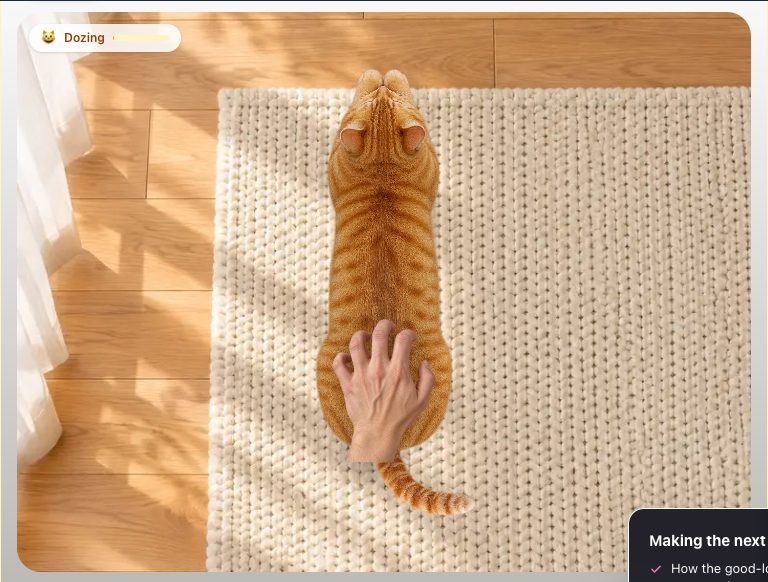
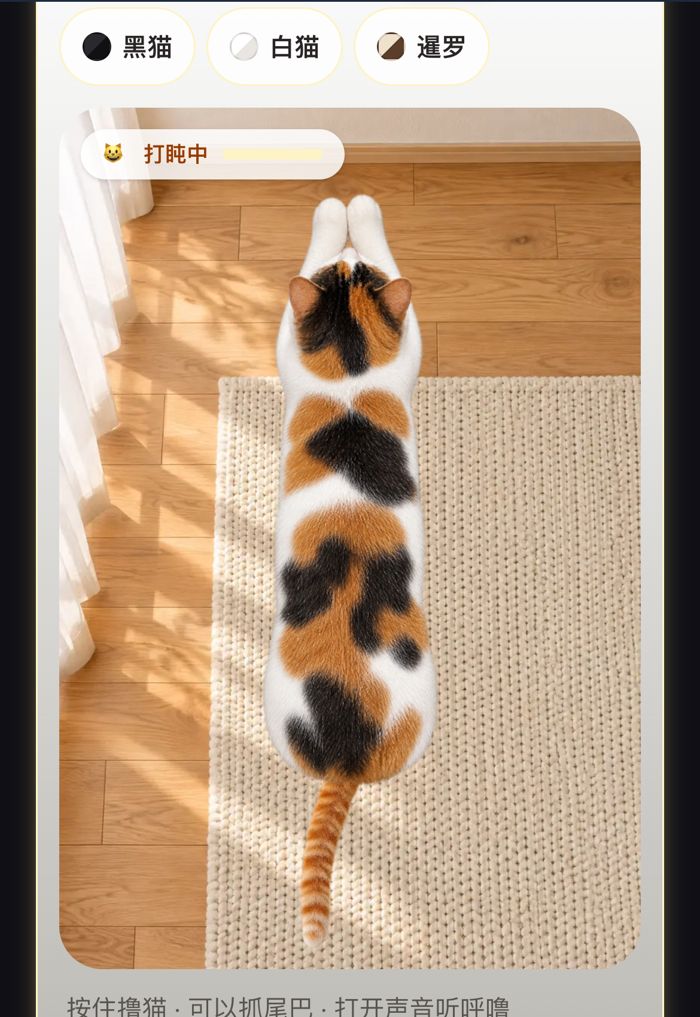
Pet the Cat is a free browser toy: a cat lies on the floor, you stroke it, its back sinks under your hand, the fur lies down along the stroke and it purrs louder the longer you go on. Every cat on that page was generated with ChatImg. This post shows the prompts we used and the few decisions that made the pictures usable for a toy.
What a pettable picture needs
A normal cat photo does not work. The toy needs four things from the art:
- Seen exactly from above. The body is stretched over a soft mesh. Any perspective makes the warp look wrong.
- Head at the top, body straight. The engine assumes the spine runs down the middle, so a stroke from top to bottom always means head to tail.
- No tail in the body image. The tail is a separate strip so it can sway and be grabbed.
- A real transparent background. The cat sits on a room photo, so the edges must be clean alpha, not a white box.
Practical rule: decide what the engine assumes (camera angle, where the spine is, what moves separately) before you write the first prompt.
The body prompt
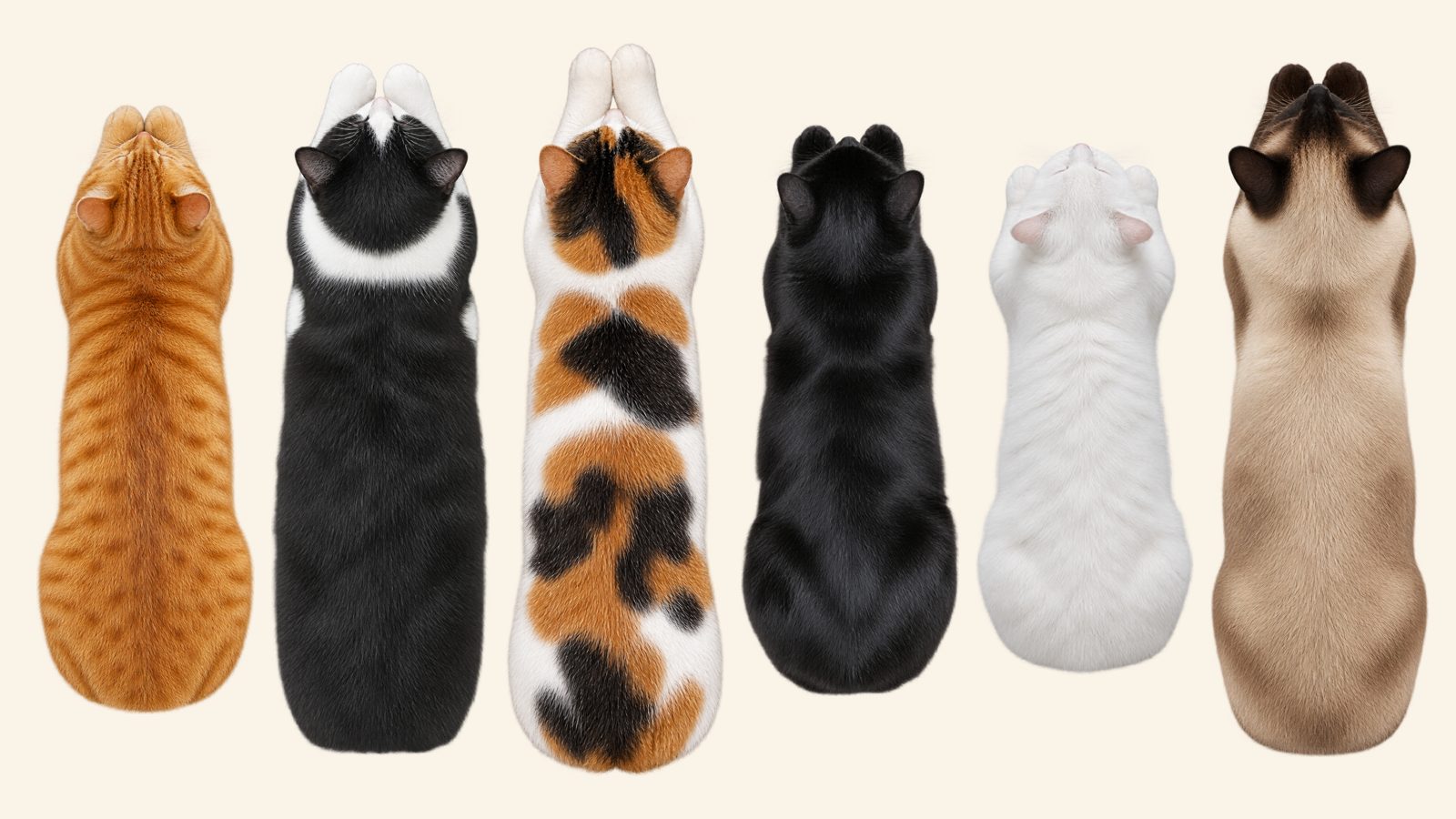
We asked for a transparent background and used the same text for every coat, changing only the coat words:
Photorealistic top-down overhead photo of a real {coat} domestic cat lying fully stretched out flat, sleeping peacefully, seen exactly from directly above, head at the top of the frame facing up, both front paws tucked forward under the chin, body straight along the vertical center line, NO tail visible (tail hidden), soft even daylight, crisp fur detail, the cat fills about 60% of the frame height, centeredCoats we used for {coat}: orange ginger tabby, black and white tuxedo (hachiware) with white face blaze and white chest, calico tri-color (white, orange and black patches), glossy black, pure white fluffy, siamese with cream body and dark brown points on face and ears.
Use a tall 2:3 frame. A square frame makes the model curl the cat into a ball.
Practical rule: keep the prompt identical across variants and change only the words that describe the variant. That is what lets six cats fit one mesh.
The tail and the hand
The tail is its own image, laid out straight so it can be cut into segments:
Photorealistic top-down photo of a single real orange ginger tabby cat tail only, lying straight vertically, base at the top edge, tip at the bottom, isolated, soft daylightThe hand has two poses, open and slightly curled, both seen from above with the wrist entering from the bottom:
Photorealistic photo of a single human right hand seen from directly above (back of the hand facing the camera), fingers relaxed and slightly spread, palm down as if about to pet a cat, wrist entering from the bottom edge, natural skin, soft daylight, isolated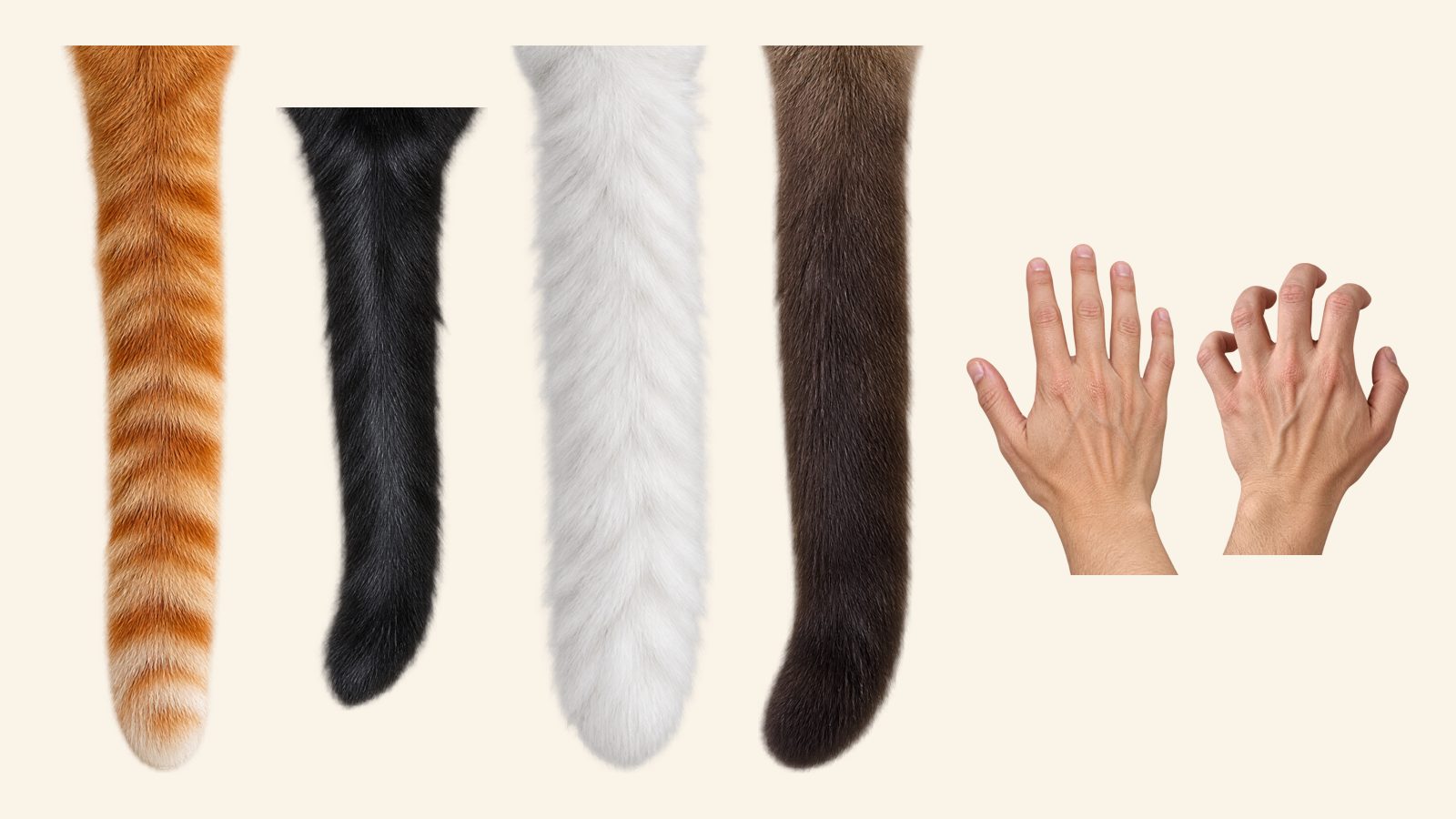
Getting it onto the page
- Crop to the alpha box, then WebP. Each body is resized to 560 px wide. The heaviest cat is under 300 KB, and the whole first screen is about 600 KB.
- One mesh, one shader. The body image is drawn on a 22 × 34 grid. Pressing pulls nearby grid points with your hand and springs them back. A small “lean” map records which way you stroked; the shader shifts and streaks the fur along it, then it slowly fluffs back up.
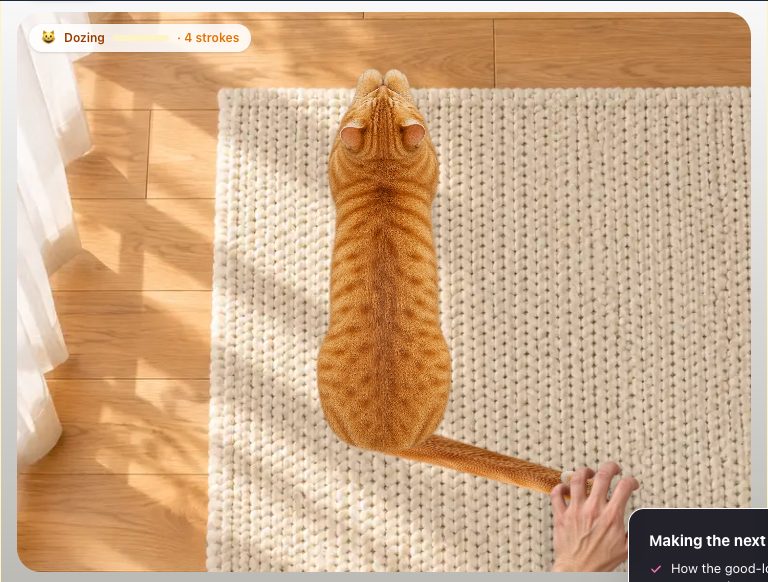
- The tail is a chain of springs. Ten points follow a swaying rest pose. Grab any point and the rest of the chain follows.
A purr made of math
There is no sound file. A real purr is about 25 short pulses a second, a little faster when breathing in and a little louder when breathing out, with a short pause in between. We generate two breaths of that in the browser (noise bursts plus a few harmonics), pass them through a 590 Hz low-pass filter so the sound stays low, and loop them. How hard you are petting sets the volume.
Practical rule: a sound that follows the user’s own motion is worth more than a better recording that does not.
Pet your own cat
The same prompt works on your cat. Open Pet the Cat, tap Upload my cat’s photo, add a clear photo where the coat is visible, and ChatImg redraws your cat lying stretched out, seen from above, with the same markings. If you prefer squishing to stroking, the online fidget toys are on the next page.
More in this series
- How to Make a Passport-Style ID Photo With AI and Keep the Background Plain (5 Tools Compared, 2026)
- How to Get Consistent Faces Across Several AI Photos: Prompt Method + 5 Tools Compared (2026)
- How to Edit an Existing Photo With a Text Prompt Instead of Starting From Scratch (6 Tools Compared, 2026)
- How to Fix AI Image Deformities: Extra Fingers, Warped Faces — Don't Reroll | ChatIMG
- Image to 3D Model: The Complete 2026 Guide — From a Single Photo to Print-Ready, Game-Ready 3D Assets