
Split an Image into Pieces
Cut one wide picture into a seamless Instagram carousel, a 3×3 profile grid, or print tiles. Choose rows and columns, check the preview, and download every piece in order as a ZIP.
Getting the upload area ready…
This only takes a moment

- What it does
- One image → equal tiles
- Grid
- Up to 6 × 6
- Where it runs
- 100% in your browser
- Price
- Free · no sign-up
A panorama that swipes
Split a wide photo 1×3 and post the pieces as one carousel: each swipe continues the picture. Pieces are numbered in reading order, so they upload in the right sequence.
How to split an image
Grid, preview, ZIP.
- 1
Add the image
Drop it, choose it, or paste with Ctrl/⌘ V.
- 2
Set rows and columns
Use 1×3 for a carousel, 3×3 for a grid, or any combination up to 6×6.
- 3
Download the ZIP
Pieces are named -part-1, -part-2… left to right, top to bottom.
How the image is cut
The picture is divided into equal rows and columns; the last row and column absorb any leftover pixel so nothing is lost. Each piece is cut from the original at full resolution and named in reading order.
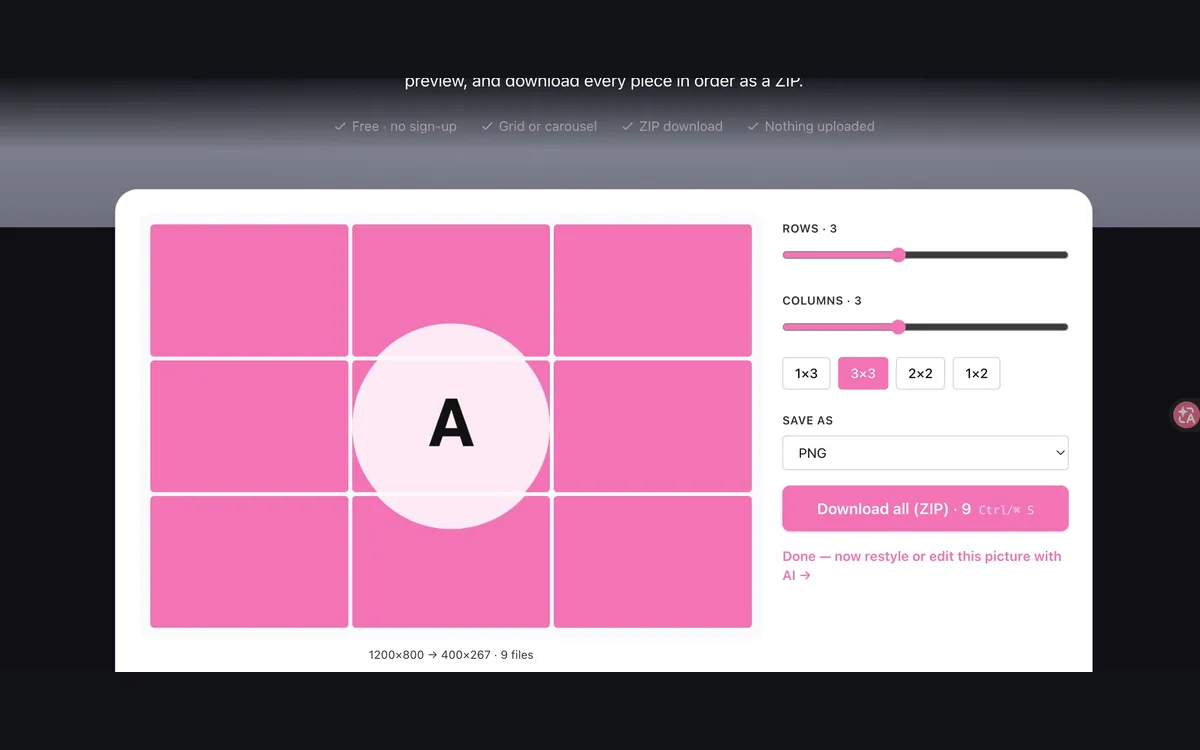
- No lost pixels — The pieces add back up to the original exactly.
- Numbered in order — Left to right, top to bottom.
- One ZIP — Every piece in one download.
Carousel or grid — getting the shape right
For a seamless 4:5 carousel of three slides, start with a 12:5 image (e.g. 3240×1350) and split 1×3. For a 3×3 profile grid, start square. Crop to the right shape first with the Crop tool, then split.
- 3-slide carousel — 12:5 image, 1×3.
- Profile grid — Square image, 3×3, post the last piece first.
- Print tiles — 2×2 or 3×3 for poster printing on A4.
Keyboard shortcuts
Every ChatImg image tool takes the same keys, so the second tool you use is already familiar. Shortcuts work anywhere on the page except while you type in a text box.
- Ctrl / ⌘ + V — Paste an image straight from the clipboard — a screenshot, a copied photo, a file from Finder or Explorer.
- O — Open the file picker.
- Ctrl / ⌘ + S — Download the result (a ZIP when there are several files).
- Delete — Clear the tool and start over.
Nothing is uploaded
The picture is decoded and redrawn by your browser's canvas on your own device. There is no server step, so there is no upload wait, no file-size limit to pay around, no watermark and no account. Close the tab and no copy exists anywhere else.
- Private — IDs, contracts, family photos — fine to use here, because they never leave the device.
- Free, no limits — No daily cap, no size cap, no sign-up wall.
- Works offline — Once the page has loaded, the tool keeps working without a connection.
What people split images for
Common jobs.
Instagram carousels
A panorama that continues across swipes.
Profile grids
One big picture across nine posts.
Poster printing
Print a large image on several sheets.
More free image tools
All of them run in your browser — free, no sign-up, nothing uploaded.
FAQ'S
Frequently Asked Questions
Ask us anything!
Need more than an edit? Ask the AI.
These tools move pixels. ChatImg's AI changes what is in the picture: swap a background, restyle a photo, restore an old print or generate a new image from a sentence. Free to start.