
Rotate and Flip Images
Fix a sideways phone photo, mirror a selfie, or turn a scanned page the right way up. Choose 90°, 180° or 270°, flip if you need to, and save one photo or a whole batch as a ZIP.
Getting the upload area ready…
This only takes a moment

- What it does
- Rotate & mirror
- Batch
- Many photos → one ZIP
- Where it runs
- 100% in your browser
- Price
- Free · no sign-up
Rotation that actually sticks
Some apps rotate a photo only in a hidden setting that other apps ignore, so it shows sideways again after upload. This redraws the pixels in the new orientation, so it is the right way up everywhere.
How to rotate an image
Pick an angle, save.
- 1
Add the photos
Drop one or a batch, or paste with Ctrl/⌘ V.
- 2
Rotate or flip
Click 90°, 180° or 270°; add Flip horizontal for a mirror image.
- 3
Download
One photo saves as an image, several as a ZIP.
What rotating here changes
The picture is redrawn on a new canvas turned by the angle you pick, and the width and height swap at 90° and 270°. Because the pixels themselves move, the saved file looks the same in every app — unlike a rotation flag that some sites strip on upload.
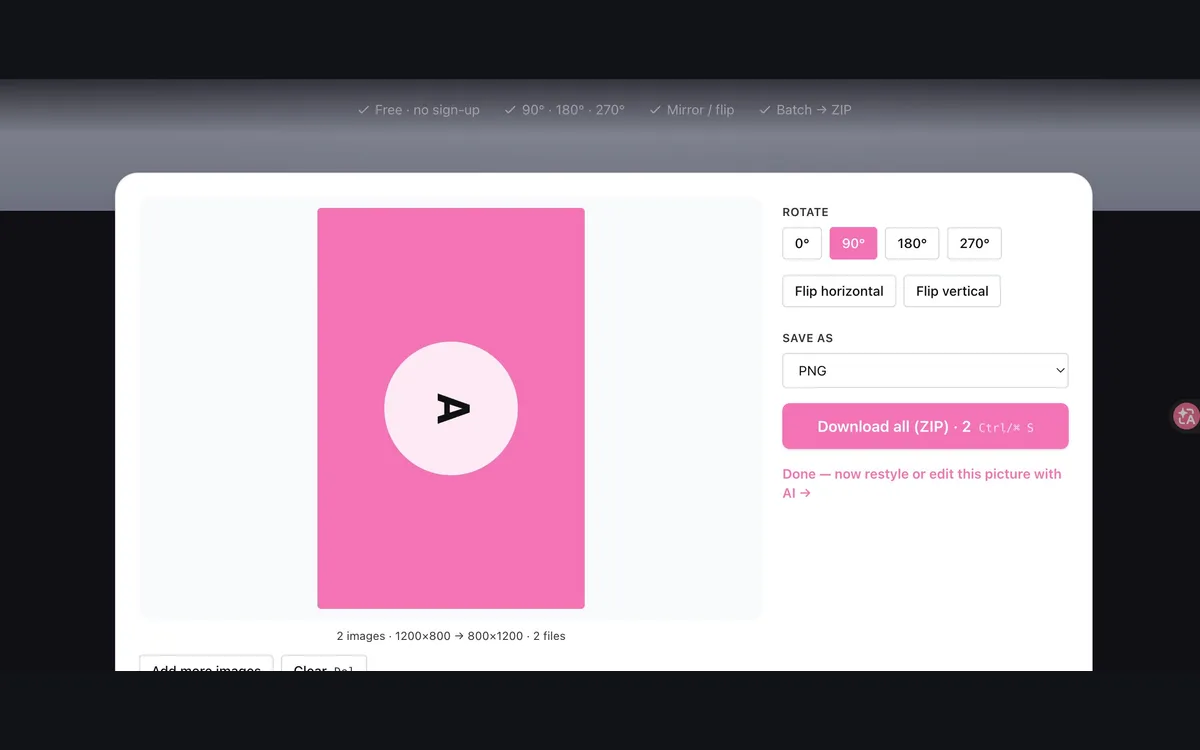
- Pixel-level rotation — No orientation flag for other apps to ignore.
- Mirror — Flip horizontal fixes mirrored selfies and text.
- Batch — The same turn applied to every photo you add.
Why photos show up sideways
Phones save the sensor image as-is and add a note saying 'rotate this 90° when you display it'. Many websites and older programs ignore the note. Rotating here and saving a new file removes the problem for good.
- Sideways upload — Rotate 90° or 270° and re-upload.
- Mirrored selfie — Flip horizontal so text reads correctly.
- Upside-down scan — Rotate 180°.
Keyboard shortcuts
Every ChatImg image tool takes the same keys, so the second tool you use is already familiar. Shortcuts work anywhere on the page except while you type in a text box.
- Ctrl / ⌘ + V — Paste an image straight from the clipboard — a screenshot, a copied photo, a file from Finder or Explorer.
- O — Open the file picker.
- Ctrl / ⌘ + S — Download the result (a ZIP when there are several files).
- Delete — Clear the tool and start over.
Nothing is uploaded
The picture is decoded and redrawn by your browser's canvas on your own device. There is no server step, so there is no upload wait, no file-size limit to pay around, no watermark and no account. Close the tab and no copy exists anywhere else.
- Private — IDs, contracts, family photos — fine to use here, because they never leave the device.
- Free, no limits — No daily cap, no size cap, no sign-up wall.
- Works offline — Once the page has loaded, the tool keeps working without a connection.
When to rotate or flip
Everyday fixes.
Phone photos
Portraits that come out sideways after upload.
Selfies
Mirrored text on shirts and signs.
Scans
Pages fed in the wrong way.
More free image tools
All of them run in your browser — free, no sign-up, nothing uploaded.
FAQ'S
Frequently Asked Questions
Ask us anything!
Need more than an edit? Ask the AI.
These tools move pixels. ChatImg's AI changes what is in the picture: swap a background, restyle a photo, restore an old print or generate a new image from a sentence. Free to start.