
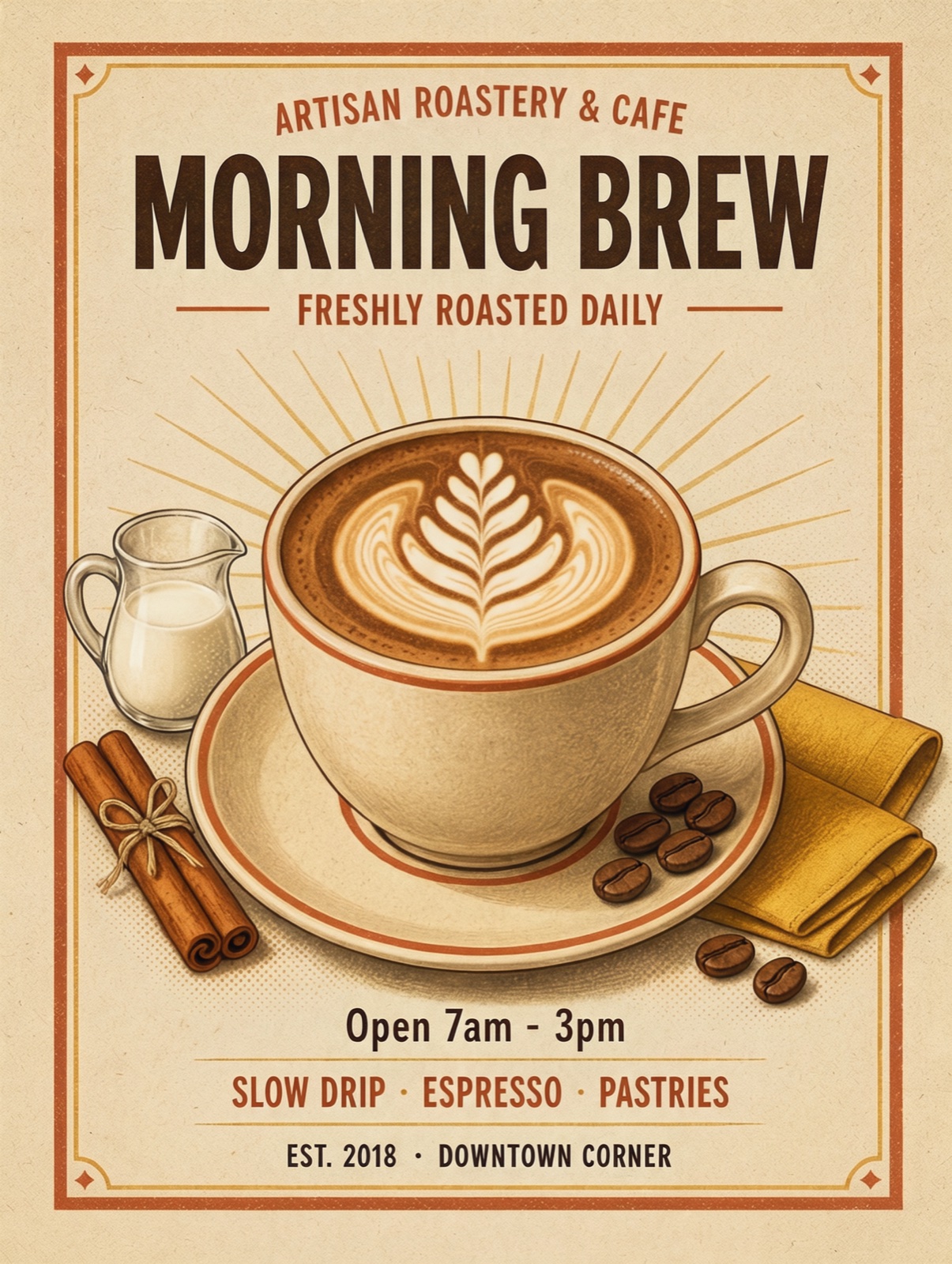
Kling Image 4.0 day-one test: poster text, 2K in 40 seconds, edits from photos

Kling announced Kling Image 4.0 on 17 Nov 2026 in their own post. It is an image model, not the Kling 4.0 video model. The same day it was available through an API, so we ran it, compared it with the previous Kling image model (O3), and added it to the ChatImg picker.
Short version: it got every word on a poster right, it is faster than O3, and it only comes in 2K and 4K. The product page is Kling Image 4.0. This link opens the picker already on that model: ChatImg.
Test 1: a poster with text
The prompt, word for word:
A cozy indie coffee shop poster, bold headline text “MORNING BREW” and smaller line “Open 7am - 3pm”, latte art illustration, warm retro colors
Both models ran at 2K, 3:4.
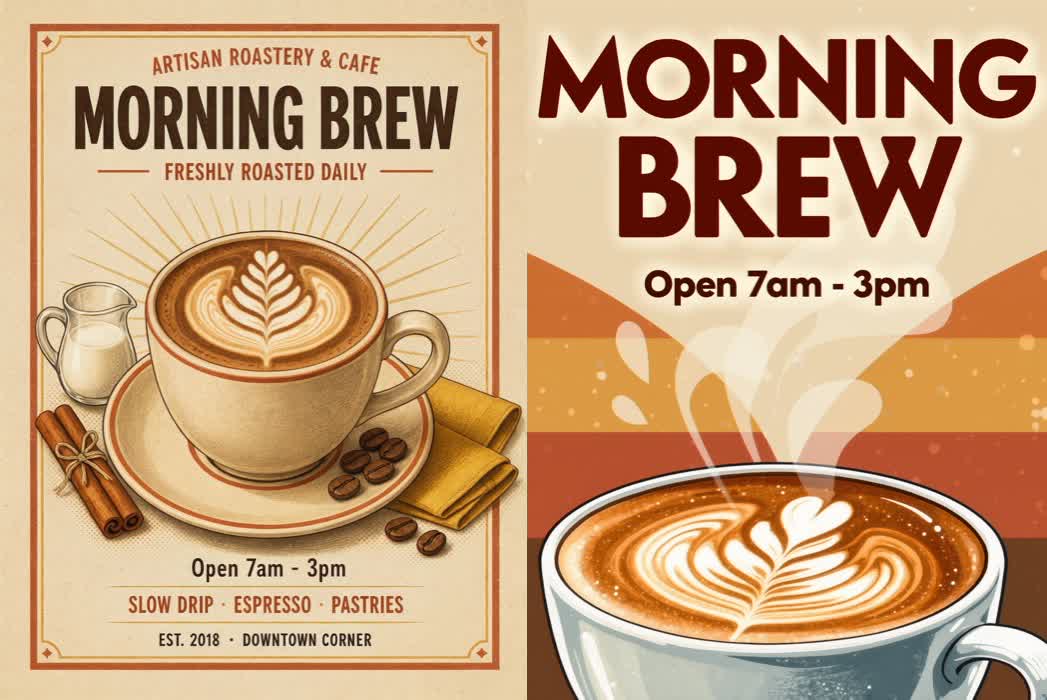 Left: Kling Image 4.0. Right: Kling O3. Same prompt, 2K, 3:4. Our run on 17 Nov 2026.
| Kling Image 4.0 | Kling O3 | |
|---|---|---|
| “MORNING BREW” | Correct | Correct |
| “Open 7am - 3pm” | Correct | Correct |
| Layout | Framed poster with subtitle, menu line, and footer | Big headline over a cropped cup |
| Time at 2K | About 40 s | About 100 s |
| Output size (3:4) | 1760 × 2336 | 1760 × 2368 |
Both spelled the two lines right. The difference is the layout: Kling Image 4.0 made something that already looks like a printed shop poster. It also added extra lines we did not ask for (“Artisan Roastery & Cafe”, “Slow drip · Espresso · Pastries”). They are spelled right, but if you want only your own words, say so in the prompt: “no other text”.
The same prompt at 4K took about 70 seconds and came out at 3520 × 4672.
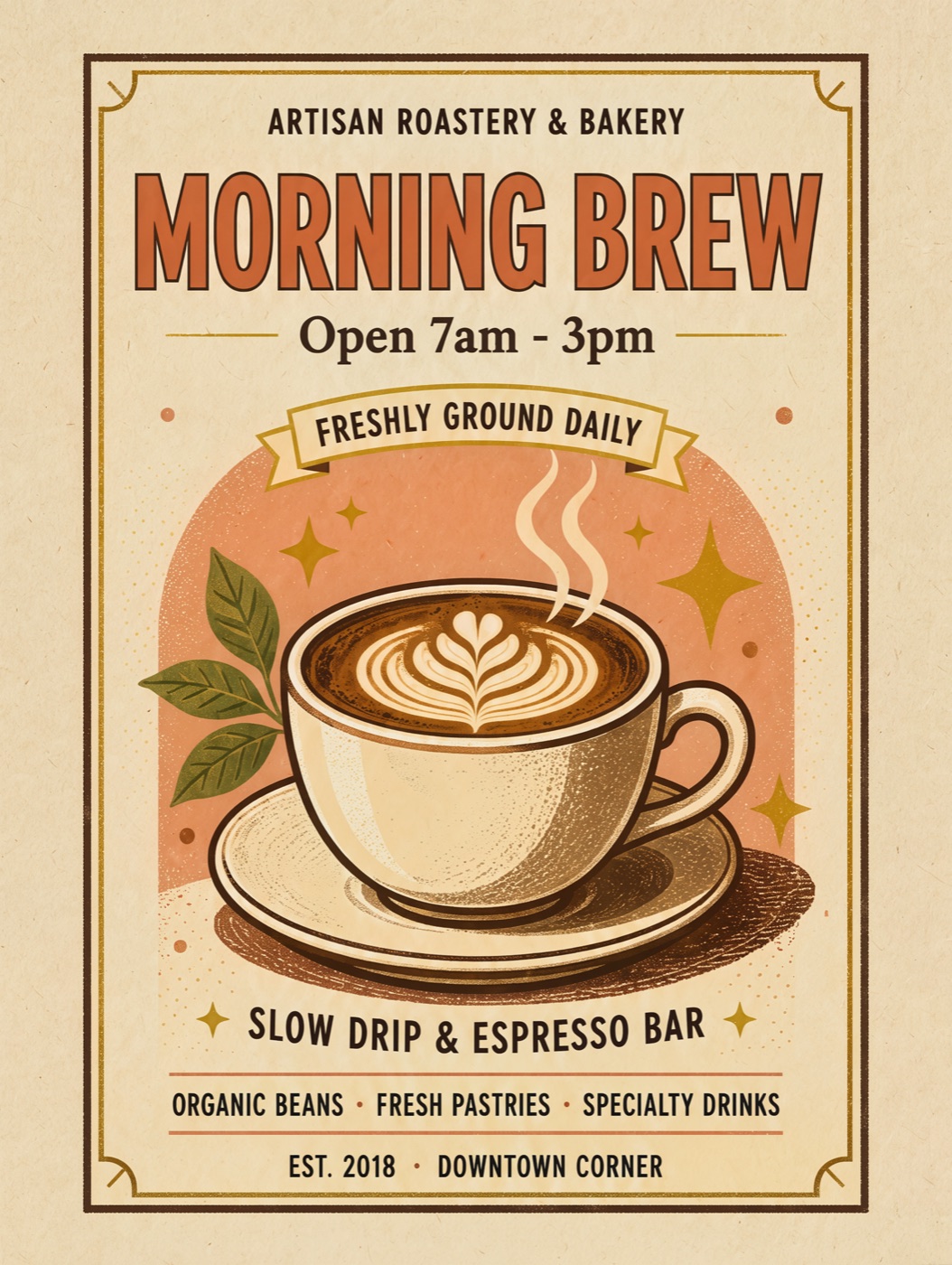 The same prompt at 4K (3520 × 4672), scaled down. A new run, so the layout and the extra lines differ from the 2K one.
Zoom into the bottom of the 4K poster and the small lines are still clean letters, not blurred shapes:
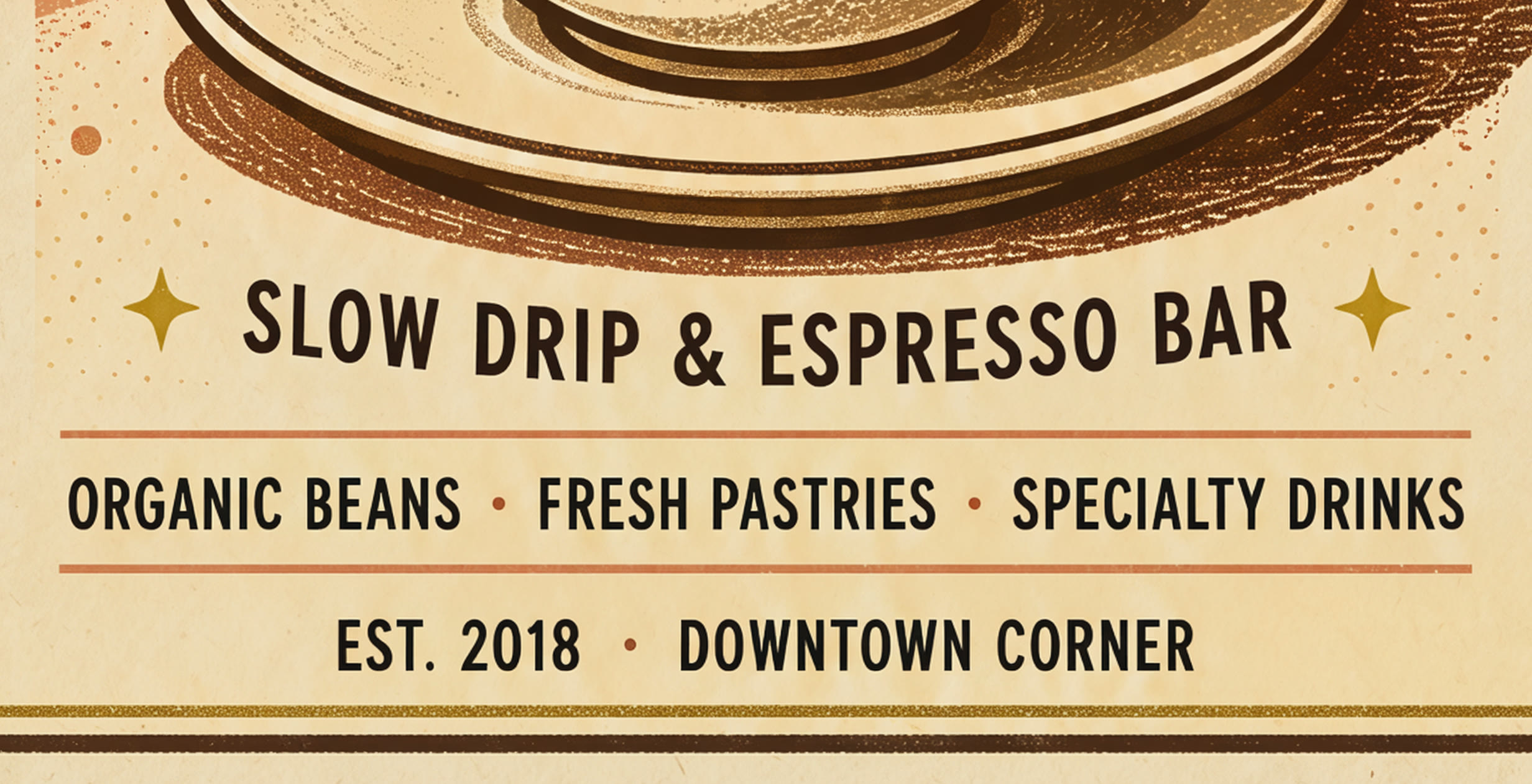 A crop from the 4K poster above, at full resolution. None of these lines were in the prompt.
Practical rule: put every word you need in quotes, and add “no other text” if you do not want the model to fill the poster with its own lines.
Test 2: editing a photo
We started from this lighthouse image, also made with Kling Image 4.0:
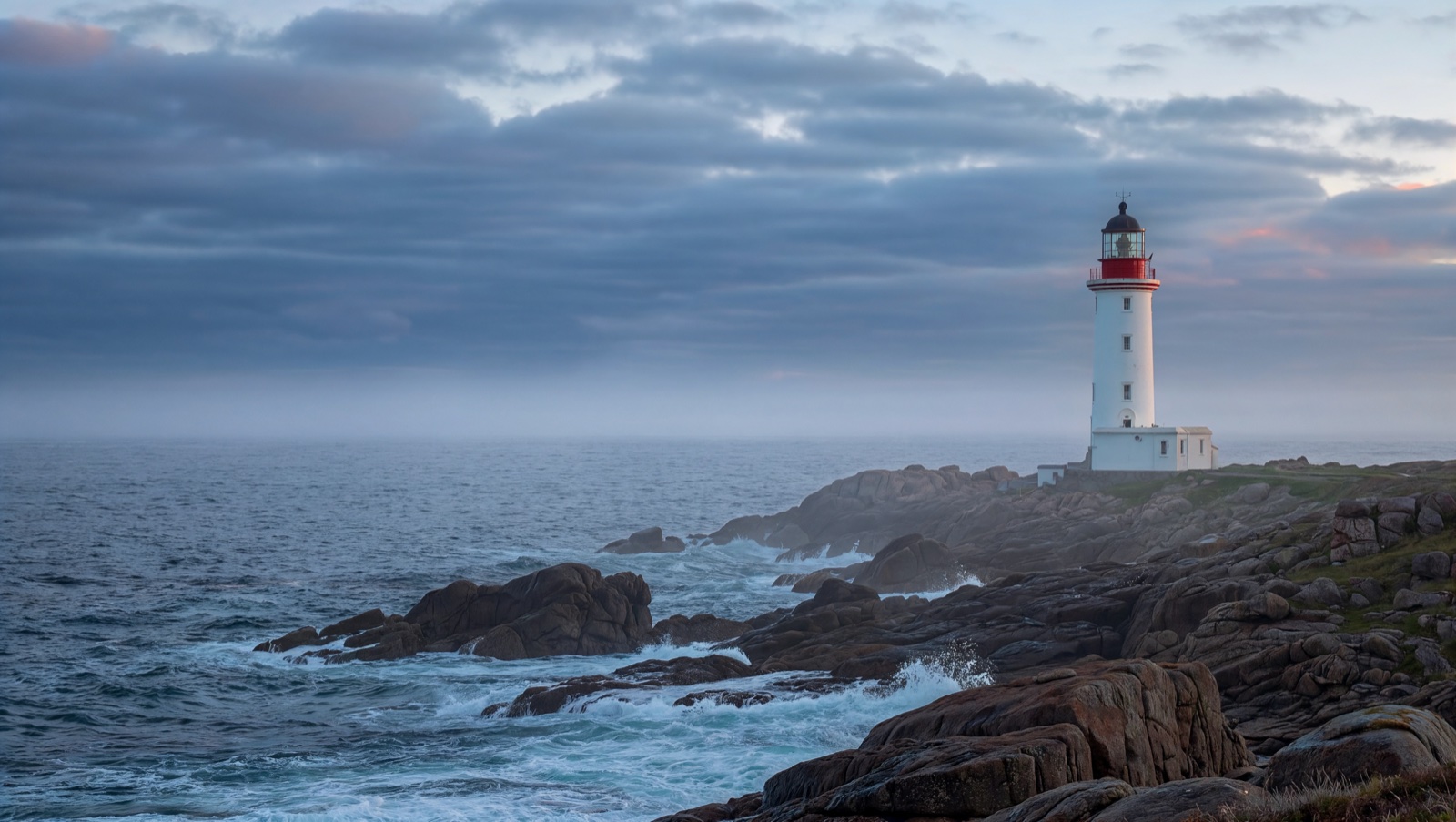 The source image for the edit test, generated with Kling Image 4.0 at 2K, 16:9.
Then we uploaded it and asked: “Turn @Image1 into a snowy winter night scene, keep the lighthouse”. @Image1 refers to the first uploaded photo.
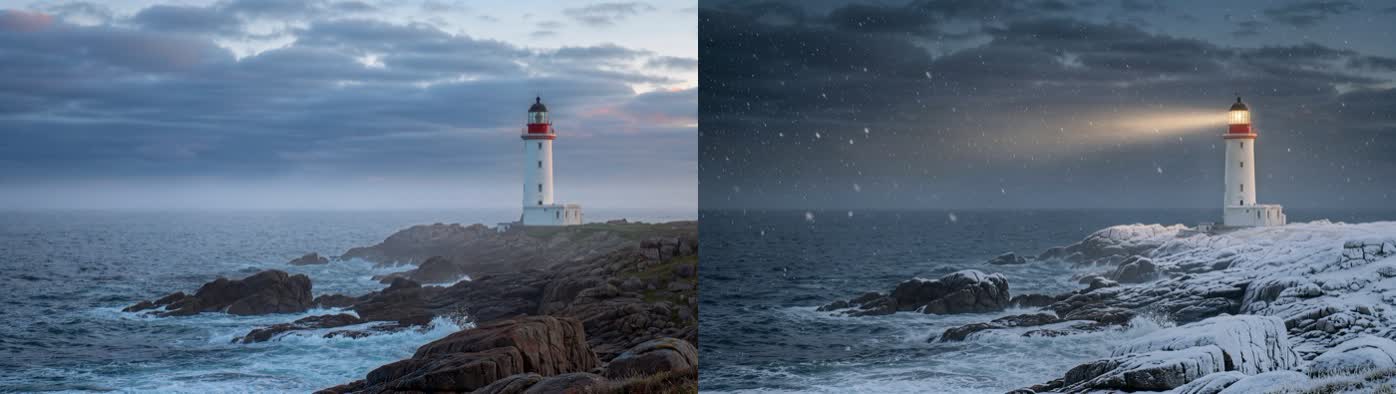 Left: the original. Right: the edit from Kling Image 4.0. Our run on 17 Nov 2026.
The lighthouse, the rocks, and the camera angle stayed where they were. Snow, a night sky, and a light beam were added. The catch is speed: the edit took about 3.5 minutes, and our first try hit a 5-minute timeout before a retry worked. Plan for a wait.
Practical rule: use Kling Image 4.0 edits for a finished restyle, not for quick back-and-forth. Draft fast elsewhere, then do the final pass here.
What it costs on ChatImg
| Size | Credits per image |
|---|---|
| 2K | 63 |
| 4K | 125 |
There is no 1K size. If you do not pick a size you get 2K and pay 63. That is the same as GPT Image 2 at 2K. The new-account trial balance only covers models priced at 15 credits or less, so it cannot run this one.
Practical rule: stay at 2K unless the image is going to print. 4K costs twice as much and takes almost twice as long.
When to pick it
| You want | Use Kling Image 4.0? |
|---|---|
| A poster or menu where the words must be right | Yes |
| A print-size image (4K) | Yes |
| A restyle of a photo you already have, and you can wait a few minutes | Yes |
| A quick draft in a few seconds | No. Use a faster model from AI Image Generator |
| To change one part of a photo and keep everything else exactly the same | Compare Ideogram 4.5 first |
How to try it
- Open ChatImg with Kling Image 4.0 selected.
- Put any words you want on the image in quotes, and add “no other text” if you want only those.
- Pick 2K unless you need print size.
- For an edit, upload up to 10 photos and refer to them as @Image1, @Image2.
The speeds and results here are from one run each on 17 Nov 2026, not a benchmark. Your times will vary with load, especially on launch week.
More in this series
- Ideogram 4.5: readable type and one-spot photo edits
- GPT-Image-2 Transparent Background (2026 Preview): Real Alpha PNGs for Sprites and Cutouts
- FLUX.2 vs GPT Image 2 vs Seedream 4.5 vs Nano Banana 2: The 2026 AI Image Model Showdown
- AI Chat Image Workflow 2026: From Conversation Prompts to Publish-Ready Assets
- GPT Image 2 Official Site vs Online Free Access (2026 Guide)