
AI Influencer GeneratorOne face. Endless posts.
Design a virtual influencer by describing them or uploading a photo. Save the face once, and every new photo, outfit change and video keeps the same person, with no long prompts to rewrite.
Design your influencer
Describe the look or upload a photo. When you like the result, click “Save as character” on the image.
Build your influencer, no prompt needed
Tap a few options and hit generate. We write the prompt for you.
Templates
Tap a card to fill the prompt — it will not generate yet
Already saved an influencer? Their photos and every shoot are in the album.
Open my charactersOne character sheet locks the face
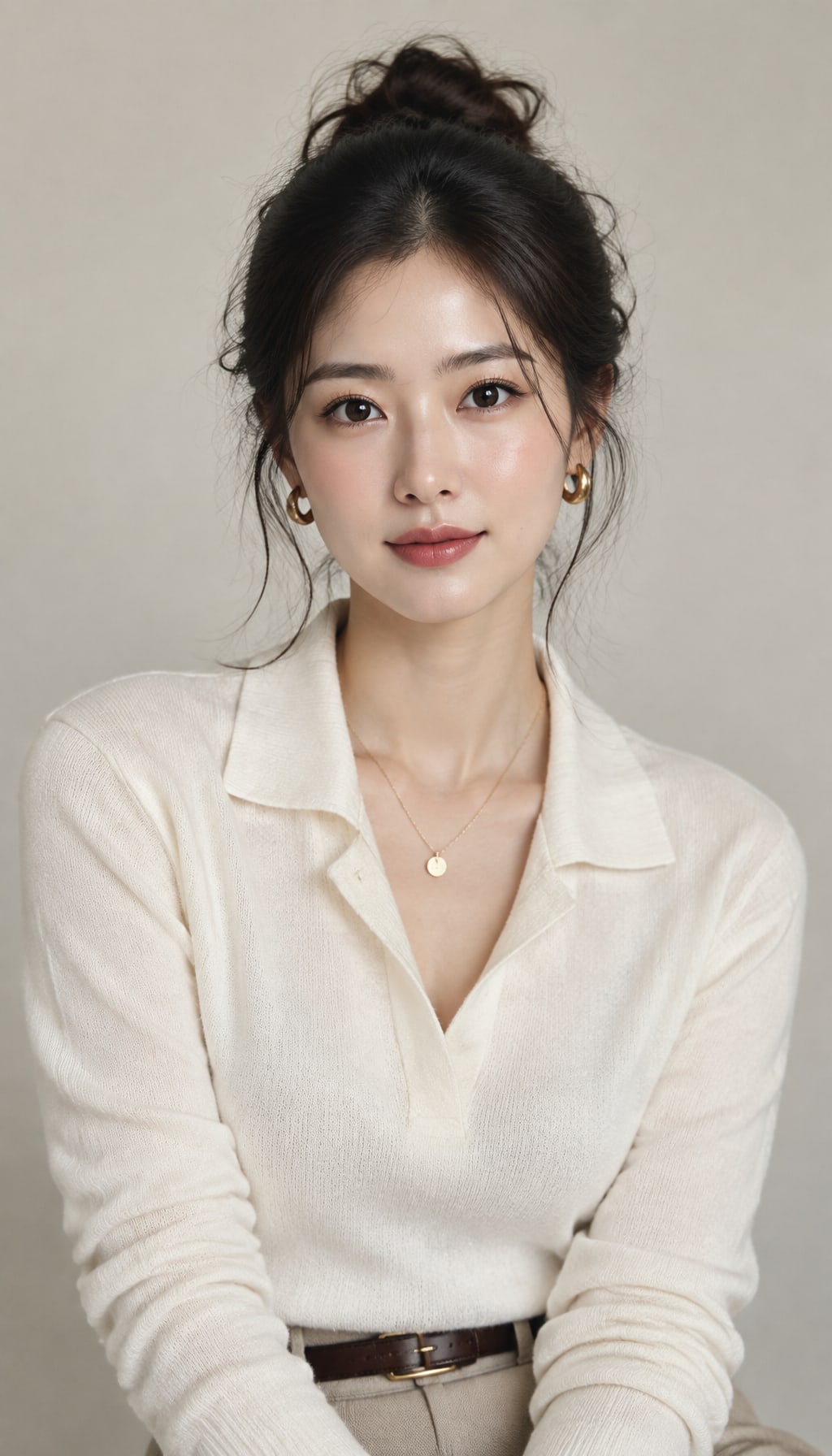
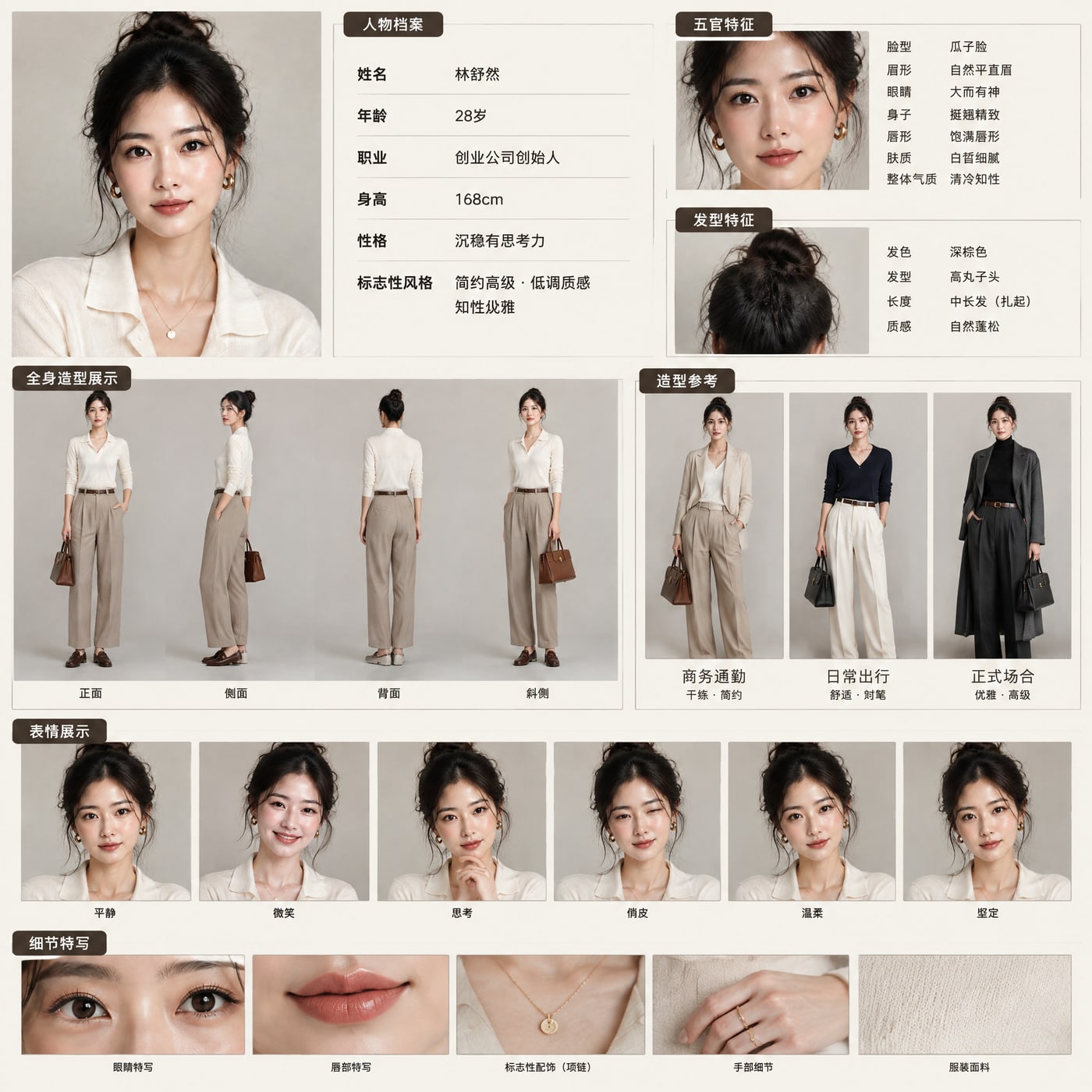
Pick the look, add a job and personality, and get a full sheet: profile, 4 views, outfits, 6 expressions and close-ups. Save it, and every later photo and video keeps this person.
Coming next
Content calendar
Plan a week of posts from the persona and shoot them on schedule.
Make them move and talk
Turn posts into short videos: trending moves, lip-synced voiceovers.
Ready-made AI influencers
Pick one and start a new chat with their reference images attached. Every image keeps the same face.
How to create an AI influencer in 3 steps
- 1
Describe or upload
Type the look you want, or upload a photo to start from a real reference.
- 2
Lock the face
Click “Save as character” on the image you like. That face becomes your influencer.
- 3
Post anything
Pick your influencer above the prompt box and ask for any scene, outfit or video. Every result lands in their album.
Lock the identity, swap everything else
The influencer stays recognizable from post to post. Only what you ask to change changes.
Consistent face
The saved reference images go with every generation, so the same person shows up each time.
Instant style swaps
Change outfits, hair, makeup, backgrounds and lighting in plain words. No photoshoot needed.
Photo to video
Turn any influencer photo into a short clip with image-to-video models, ready for Reels and TikTok.
An album per influencer
Everything you make with an influencer is collected in their album, so a content library builds up on its own.
Content in batches
Keep editing in chat, or run batch generation to fill a week of posts in one go.
Any look, any market
Create several influencers with different ages, styles and regions for different audiences.
Ready-made shoots for your influencer
Each card fills the prompt for you. Pick your influencer and hit generate.
Who uses AI influencers
E-commerce and fashion brands
Show new collections on a consistent model without booking a shoot for every drop.
Social media creators
Keep a steady posting schedule with a recognizable persona, even on days you cannot film.
Marketing agencies
Build brand ambassadors for different regions and test creative variations quickly.
Faceless channels
Give a YouTube or TikTok channel a consistent host without ever being on camera.
AI influencer FAQ
What is an AI influencer?
An AI influencer is a virtual person created with AI image models. They have a consistent face and style and can post photos and videos like a human creator.
How do I keep the same face in every image?
Save the image you like as a character. When you select that character, its reference images are attached to every request, which keeps the face consistent across scenes and outfits.
Can I create an AI influencer from my own photo?
Yes. Upload a photo as the starting point, generate a version you like, then save it as a character. Only use photos you have the rights to.
Can my AI influencer appear in videos?
Yes. Open any generated image and use image-to-video to animate it into a short clip.
Do I need to write long prompts?
No. Start with the prefilled prompt or a ready-made shoot card, then ask for changes in plain words, such as “put her in a beach café at sunset”.
Is it free to try?
New accounts get trial credits, enough to design an influencer and make the first photos. Paid plans add more credits and all models.
Can I create more than one AI influencer?
Yes. The free plan saves one character; paid plans have no limit.